
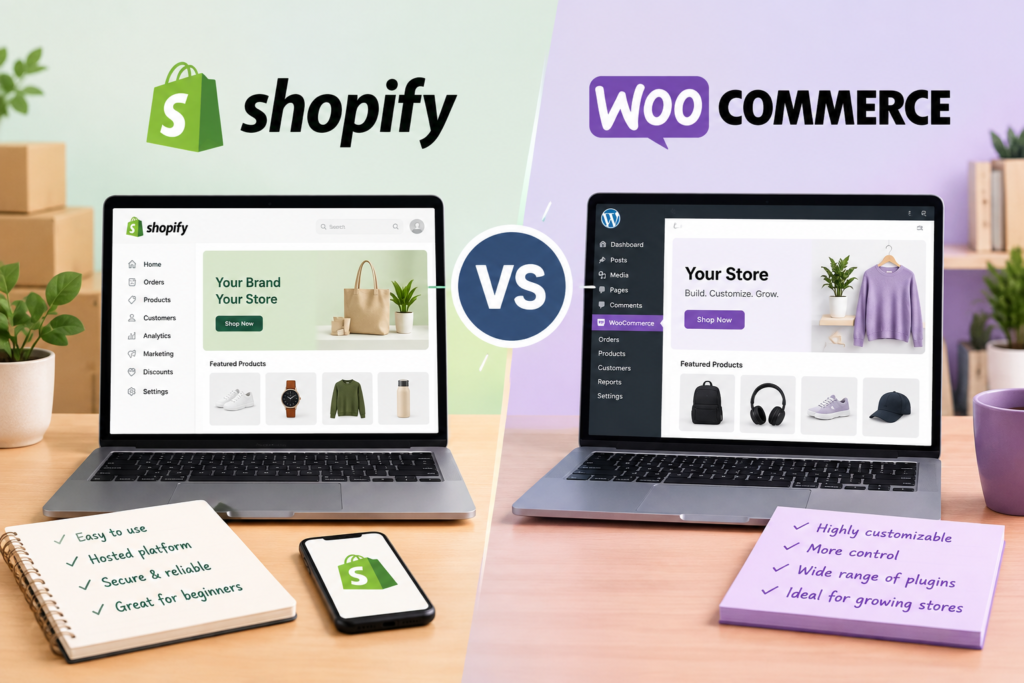
Starting an online store is easier than ever, but choosing the right e-commerce platform can significantly influence your business’s growth, operating costs, and customer experience. Among the most popular options available today are Shopify and WooCommerce. Both platforms help businesses sell products online, manage orders, accept payments, and build professional shopping experiences. However, they take different approaches to website creation, customization, pricing, and store management.
Shopify is a hosted e-commerce platform designed to simplify online selling. It provides hosting, security features, store-building tools, and various business management capabilities within one service. WooCommerce, on the other hand, is an open-source e-commerce plugin for WordPress that transforms a WordPress website into an online store. It offers extensive flexibility but requires users to manage hosting and several technical aspects themselves or through service providers.
So, which platform is better for your business? The answer depends on your budget, technical knowledge, product catalog, customization requirements, and long-term goals.
In this guide, we compare Shopify and WooCommerce across essential factors to help you determine which platform fits your online store.
1. What Is Shopify?
Shopify is a hosted e-commerce platform that allows entrepreneurs and businesses to create online stores without managing their own web servers. It provides a centralized dashboard for building storefronts, adding products, processing orders, tracking inventory, and managing customer information.
One of Shopify’s biggest advantages is convenience. Users can select a theme, customize their store, upload product information, configure payment methods, and launch their businesses without building an entire website from scratch.
Shopify also provides tools for selling through different channels, including online storefronts and supported social commerce or marketplace integrations. Depending on the plan, location, and configuration, businesses can access features for shipping, marketing, analytics, and inventory management.
Shopify is particularly suitable for entrepreneurs who want to concentrate on selling products rather than maintaining website infrastructure.
Key Features of Shopify
- Hosted online store with managed infrastructure.
- Customizable storefront themes.
- Product, inventory, and order management.
- Integrated payment processing options.
- Support for multiple sales channels.
- App marketplace for additional functionality.
- Built-in marketing and analytics tools.
- Security and platform maintenance managed by Shopify.
Although Shopify offers considerable convenience, businesses operate within its platform ecosystem. Advanced customization and specialized functionality may require apps, higher-tier plans, or development work.
2. What Is WooCommerce?
WooCommerce is an open-source e-commerce plugin built for WordPress. It enables website owners to add product pages, shopping carts, checkout functionality, order management, and other online selling features to their WordPress websites.
Unlike Shopify, WooCommerce does not provide a complete hosted website subscription by itself. Store owners generally need a domain name, web hosting, a WordPress installation, and the WooCommerce plugin.
This structure provides greater control over the website. Users can choose their hosting provider, install compatible WordPress themes, modify website code, and select from numerous extensions.
WooCommerce supports many types of businesses, including physical product stores, digital downloads, subscription businesses, and specialized online shops. Additional functionality can be introduced through extensions and third-party services.
Key Features of WooCommerce
- Open-source e-commerce software.
- Integration with WordPress.
- Extensive theme and design options.
- Product and inventory management.
- Support for physical and digital products.
- Flexible payment gateway integrations.
- Large selection of plugins and extensions.
- Greater control over hosting and website data.
- Extensive customization opportunities.
WooCommerce is attractive to businesses that value flexibility and ownership. However, managing updates, backups, security, performance, and compatibility can require additional effort.
3. Shopify vs WooCommerce: Main Differences
Although both platforms support online selling, their operating models are different.
| Feature | Shopify | WooCommerce |
|---|---|---|
| Platform type | Hosted e-commerce platform | Open-source WordPress plugin |
| Initial setup | Generally simple | Requires WordPress and hosting setup |
| Hosting | Included | Purchased separately |
| Technical knowledge | Usually minimal | Depends on customization and maintenance |
| Customization | Themes, apps, and supported development | Themes, plugins, and extensive code access |
| Security management | Platform manages core infrastructure | Store owner and hosting provider share responsibility |
| Updates | Core platform updates managed by Shopify | WordPress, WooCommerce, and extensions require management |
| Pricing structure | Subscription-based | Software is free, but other costs apply |
| Payment options | Shopify Payments where available and supported alternatives | Multiple supported gateways |
| SEO | Built-in tools and additional apps | WordPress SEO plugins and technical controls |
| Scalability | Managed infrastructure and plan-dependent features | Depends on hosting, architecture, and optimization |
| Data control | Subject to Shopify’s platform and export capabilities | Greater control over hosting and database |
| Best suited for | Convenience-focused businesses | Businesses seeking flexibility and control |
The right choice depends on whether you prefer a managed e-commerce service or a customizable website that you control more directly.
4. Ease of Use: Which Platform Is Simpler?
Ease of use matters when launching a business, particularly for entrepreneurs who have limited website development experience.
Shopify: Designed for Convenience
Shopify offers a relatively straightforward store creation process. After registering, users can choose a theme, add products, configure shipping, set up payment options, and customize their storefront.
Its dashboard brings many essential e-commerce functions together. Store owners can manage orders, monitor sales, and update product information without navigating multiple services.
Shopify also handles much of the technical infrastructure behind the store. Users generally do not need to configure a separate hosting account, install server software, or manually maintain the platform’s underlying infrastructure.
This makes Shopify a strong option for beginners who want to launch quickly.
WooCommerce: More Control, More Responsibility
WooCommerce requires several initial steps. Users must arrange hosting, register a domain, install WordPress, configure WooCommerce, and select an appropriate theme.
Many hosting providers simplify this process through one-click WordPress installation and managed hosting packages. Nevertheless, store owners may need to handle additional configuration and maintenance.
The WordPress dashboard offers considerable flexibility, but managing multiple plugins, troubleshooting conflicts, and configuring advanced features can become challenging.
Winner: Shopify for simplicity. WooCommerce is manageable for beginners, but Shopify generally offers a more streamlined experience.
5. Pricing and Overall Costs
Pricing is an important consideration because an online store involves more than the platform’s advertised price.
Shopify Pricing
Shopify uses a subscription-based model. The available plans, prices, and included features can vary by country, billing period, and promotional offer.
A typical Shopify budget may include:
- Monthly or annual subscription fees.
- Domain registration if purchasing a separate domain.
- Premium theme costs, if applicable.
- Paid apps and integrations.
- Payment processing fees.
- Additional transaction fees where applicable.
- Professional design or development services.
The subscription generally includes hosting and core platform infrastructure, making expenses easier to anticipate. However, installing several paid apps or upgrading plans can increase the total cost.
WooCommerce Pricing
WooCommerce itself is available as free, open-source software. However, operating a WooCommerce store still involves expenses.
Potential costs include:
- Domain registration.
- Web hosting.
- Premium WordPress themes.
- Paid WooCommerce extensions.
- Payment processing fees.
- Security and backup services.
- Developer support and maintenance.
- Performance optimization.
A small store using inexpensive hosting and free plugins may operate at a relatively low cost. A large store requiring premium extensions, managed hosting, and specialist support could cost considerably more.
Which Platform Is Cheaper?
WooCommerce can be less expensive for businesses that already use WordPress and can manage their own website. Its software does not require a platform subscription.
Shopify can provide better value for business owners who want hosting, infrastructure, and essential store management in one package.
Winner: WooCommerce for potential cost flexibility; Shopify for predictable, bundled infrastructure costs.
Neither platform is automatically cheaper. Compare the total cost of ownership rather than looking only at the starting price.
6. Customization and Design Flexibility
Your storefront influences how customers perceive your brand. A professional design can improve navigation, communicate credibility, and make purchasing easier.
Shopify Customization
Shopify provides customizable themes, storefront editing tools, and apps for extending store functionality. Users can modify colors, typography, layouts, images, and other supported design elements.
For many businesses, these tools are sufficient to create an attractive and recognizable storefront.
However, some advanced changes may require knowledge of Shopify’s theme system or custom development. Certain customizations may also depend on the theme, available apps, and the selected plan.
WooCommerce Customization
WooCommerce offers extensive customization possibilities because it operates within WordPress.
Store owners can choose from numerous themes, use page builders, install plugins, and modify code when necessary. Developers can customize product pages, checkout experiences, pricing rules, and other store features.
This flexibility is useful for businesses with specialized requirements. However, combining many plugins can create compatibility issues or negatively affect performance if the website is not maintained properly.
Winner: WooCommerce for flexibility. Shopify is suitable for professional customization without extensive technical work.
7. Payment Gateways and Transaction Fees
A reliable payment system helps customers complete purchases securely and conveniently.
Shopify Payment Options
Shopify supports Shopify Payments in eligible countries and offers integrations with other payment providers. Available payment methods depend on the store’s location, business eligibility, and selected provider.
Using Shopify Payments may simplify payment management where the service is available. However, Shopify can charge additional transaction fees for certain third-party payment providers, depending on the plan and applicable conditions.
Merchants should also account for their payment processor’s charges.
WooCommerce Payment Options
WooCommerce supports multiple payment gateway integrations. Depending on the business location, store owners can select providers offering credit card payments, digital wallets, local payment methods, or other supported options.
For example, businesses operating in India may investigate gateways such as Razorpay, subject to eligibility and current integration availability.
WooCommerce generally does not impose its own additional transaction fee merely for using a third-party payment gateway. However, payment providers can charge processing fees, and individual extensions may involve additional costs.
Winner: WooCommerce for payment flexibility; Shopify for convenient payment integration where supported.
Before choosing either platform, verify that your preferred payment provider supports your country, currency, business type, and settlement requirements.
8. SEO and Organic Traffic
Search engine optimization helps potential customers discover your products through Google and other search engines.
Both Shopify and WooCommerce can support effective SEO strategies, but they offer different levels of control.
Shopify SEO
Shopify includes several useful SEO features, such as editable page titles, meta descriptions, customizable image alt text, and automatically generated XML sitemaps.
Its hosted structure also reduces the need for store owners to manage server-level technical settings.
However, certain URL structures are standardized, and advanced technical customization may be more limited than on a self-managed WordPress installation.
WooCommerce SEO
WooCommerce benefits from WordPress’s content management capabilities. Store owners can create detailed product descriptions, publish blog articles, organize categories, and use SEO plugins to improve their optimization workflow.
Plugins can assist with metadata, structured data, XML sitemaps, redirects, and other SEO tasks, depending on the selected tools.
WooCommerce also gives experienced users more control over technical aspects of their website. However, this flexibility means that poor configuration, slow hosting, or excessive plugins can negatively affect search performance.
Winner: WooCommerce for advanced SEO control; Shopify for simpler SEO management.
Both platforms can rank well in search results. Content quality, product relevance, site speed, mobile usability, internal linking, and customer experience remain important regardless of platform.
9. Security and Website Maintenance
Online stores handle customer information and payment-related activity, making security essential.
Shopify Security
Shopify manages the core hosting infrastructure and platform security. It also provides SSL/TLS support for secure connections and maintains the underlying hosted environment.
Store owners must still protect their accounts, use strong passwords, enable available authentication safeguards, review app permissions, and follow appropriate privacy practices.
Shopify’s managed model reduces the amount of infrastructure maintenance required from merchants.
WooCommerce Security
WooCommerce security depends partly on the hosting environment, WordPress configuration, installed extensions, and maintenance practices.
Store owners should regularly update WordPress, WooCommerce, themes, and plugins. They should also use reputable hosting, maintain backups, enable HTTPS, apply appropriate access controls, and monitor suspicious activity.
Managed WordPress hosting and professional maintenance services can reduce the workload, although these services may add to operating costs.
Winner: Shopify for easier security management. WooCommerce can also be secure when properly configured and maintained.
10. Performance and Website Speed
Website speed affects shopping experience, mobile usability, and potentially search visibility. Slow product pages and checkout processes can discourage customers from completing purchases.
Shopify manages its hosting infrastructure, helping businesses avoid many server configuration decisions. Store performance can still be affected by large images, excessive apps, theme design, and third-party scripts.
WooCommerce performance depends more directly on hosting quality, caching, database efficiency, image optimization, and plugin configuration.
A well-optimized WooCommerce store can perform extremely well. However, poorly configured hosting or unnecessary extensions can create performance problems.
For either platform, businesses should compress images, limit unnecessary scripts, test mobile performance, and monitor page-loading times.
Winner: Shopify for simpler performance management. WooCommerce offers greater infrastructure control but usually requires more attention.
11. Scalability and Business Growth
The right platform should support your business as its product catalog, order volume, and customer base expand.
Shopify offers a managed infrastructure designed to support businesses at different stages. Merchants can select suitable plans and access additional tools as their operational needs change. Advanced requirements may involve higher-tier subscriptions or additional services.
WooCommerce can also support growing businesses, provided the hosting environment, database, caching, and website architecture are appropriate for the workload.
Its open-source structure gives businesses greater freedom to customize their technology. However, scaling may require better hosting, technical optimization, developer support, and additional infrastructure.
Winner: Shopify for managed scaling; WooCommerce for businesses that want greater technical control.
Neither platform guarantees business growth. Product demand, inventory management, marketing, fulfillment, and customer service remain critical.
12. Apps, Plugins, and Integrations
Apps and plugins allow store owners to add capabilities beyond the platform’s basic features.
Shopify offers an app marketplace with tools for email marketing, customer support, product reviews, subscriptions, inventory management, and other business activities.
WooCommerce benefits from the broader WordPress plugin ecosystem, alongside extensions specifically designed for online stores.
Both platforms can integrate with accounting software, shipping services, marketing tools, and customer relationship management systems, depending on available integrations.
The difference is that WooCommerce generally allows more direct access to the underlying website and code. Shopify prioritizes integrations that operate within its hosted environment and platform architecture.
Winner: WooCommerce for technical extensibility; Shopify for a more centralized app experience.
Before installing an extension, check its compatibility, pricing, update history, support quality, and effect on website performance.
13. Which Platform Is Better for Different Businesses?
The best platform depends on the type of store you want to build.
Shopify Is Best For:
- Beginners launching their first online store.
- Entrepreneurs who prefer managed hosting.
- Businesses that want a quick setup.
- Retailers selling through multiple supported channels.
- Merchants who prefer centralized store management.
- Businesses that want fewer technical maintenance responsibilities.
WooCommerce Is Best For:
- Existing WordPress website owners.
- Businesses requiring extensive customization.
- Content-driven stores that rely on blogging and SEO.
- Entrepreneurs who want control over hosting and website files.
- Stores with specialized product or checkout requirements.
- Businesses with access to technical expertise.
For example, a small clothing brand looking to launch quickly may prefer Shopify. A publisher who already operates a WordPress website and wants to add an online shop may find WooCommerce more convenient.
A business with complex product configurations should evaluate both platforms against its specific requirements before making a decision.
14. Advantages and Disadvantages
Shopify Advantages
- Simple setup and centralized management.
- Hosting included with the platform subscription.
- Managed core infrastructure and updates.
- Integrated store-building and selling tools.
- Less technical maintenance for store owners.
Shopify Disadvantages
- Recurring subscription costs.
- Additional expenses for certain apps and themes.
- Potential extra transaction fees with third-party payment providers.
- Less direct control over the underlying infrastructure.
- Advanced functionality may require paid integrations or development.
WooCommerce Advantages
- Free, open-source core software.
- Extensive customization opportunities.
- Broad WordPress plugin ecosystem.
- Flexible hosting and payment gateway choices.
- Greater control over website files and database.
WooCommerce Disadvantages
- Hosting and domain costs are separate.
- More responsibility for updates and security.
- Plugin conflicts can affect functionality.
- Performance depends heavily on configuration.
- Advanced customization may require developer assistance.
15. Final Verdict: Shopify vs WooCommerce
Shopify and WooCommerce are both capable e-commerce platforms, but they suit different business priorities.
Shopify is an excellent choice for entrepreneurs who want an accessible, managed solution. Its integrated hosting, store-building tools, and centralized dashboard make it easier to launch and operate an online business without handling extensive technical maintenance.
WooCommerce is better suited to businesses that value flexibility, customization, and greater control over their website. Its open-source foundation and integration with WordPress make it especially attractive for content-driven businesses and store owners who want to shape their technology around specific requirements.
Before deciding, compare subscription or hosting expenses, payment processing charges, essential extensions, maintenance needs, and expected growth.
Choose Shopify if convenience and simplicity are your priorities. Choose WooCommerce if flexibility and control matter more.
Ultimately, the best platform is the one that supports your products, budget, customers, and long-term business strategy. A successful online store depends not only on the technology you choose but also on product quality, effective marketing, reliable fulfillment, and excellent customer service.
Frequently Asked Questions (FAQs)
1. Is Shopify better than WooCommerce?
Shopify is generally better for beginners seeking convenience, while WooCommerce suits businesses that prioritize customization, control, and WordPress integration.
2. Is WooCommerce free to use?
WooCommerce’s core software is free, but hosting, domain registration, premium extensions, maintenance, and payment processing may involve additional expenses.
3. Which platform is easier for beginners?
Shopify is usually easier because it includes hosting and simplifies store setup. WooCommerce requires more initial configuration and maintenance.
4. Can I use WooCommerce without WordPress?
No. WooCommerce is designed to operate as a plugin within WordPress, so a WordPress installation is required.
5. Which platform is better for SEO?
Both support SEO effectively. WooCommerce offers extensive technical flexibility, while Shopify provides convenient built-in SEO features for everyday store management.
6. Does Shopify charge transaction fees?
Shopify may charge additional transaction fees depending on the payment provider and plan. Payment processing fees can also apply.
7. Can WooCommerce handle a large online store?
Yes. WooCommerce can support large stores when hosting, database performance, caching, security, and website architecture are properly managed.
8. Which platform offers more customization?
WooCommerce generally provides more customization freedom because users can modify WordPress themes, plugins, and website code.
9. Can I migrate from Shopify to WooCommerce?
Yes. Products, customer records, and orders may be transferred using supported export tools or migration services, subject to data limitations.
10. Which platform should a small business choose?
Small businesses seeking simplicity may prefer Shopify, while those wanting extensive control or already using WordPress may prefer WooCommerce.