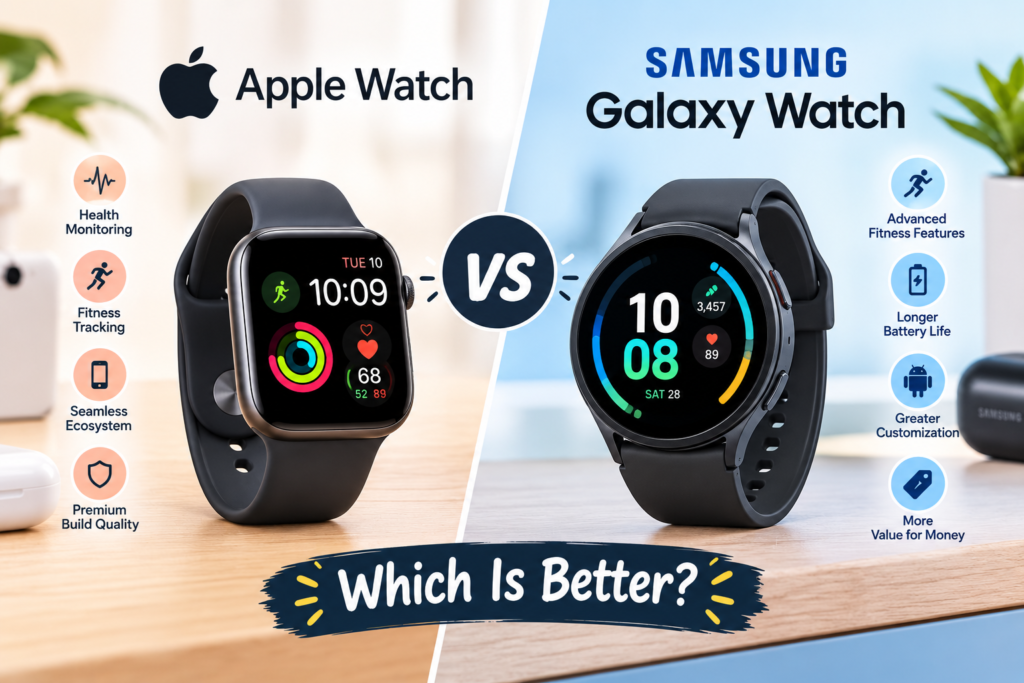
Smartwatches have become essential accessories for people who want to track their fitness, monitor their health, receive notifications, and stay connected without constantly checking their smartphones. Among the most popular options, the Apple Watch and Samsung Galaxy Watch stand out for their advanced features, attractive designs, and powerful software.
However, choosing between them can be challenging. Both smartwatch families offer fitness tracking, heart rate monitoring, sleep analysis, smartphone notifications, mobile payments, and various customization options. Their biggest differences involve smartphone compatibility, operating systems, battery life, health features, and overall user experience.
The Apple Watch is designed primarily for people who use an iPhone, while the Samsung Galaxy Watch is especially suitable for Android users, particularly those with Samsung Galaxy smartphones.
In this article, we compare the Apple Watch and Samsung Galaxy Watch to help you decide which smartwatch offers the best value for your needs.
1. Design and Build Quality
Design is one of the first things people consider when purchasing a smartwatch. Both Apple and Samsung offer stylish devices, but their approaches to design are different.
Apple Watch Design
The Apple Watch features a rectangular display with rounded corners. Its modern appearance makes it suitable for everyday use, office environments, workouts, and special occasions.
Apple offers different case sizes, materials, colors, and band styles across its smartwatch lineup. Depending on the model, buyers can choose aluminum, titanium, or other available finishes.
The rectangular screen also provides a convenient layout for reading messages, viewing notifications, checking fitness statistics, and interacting with applications.
Samsung Galaxy Watch Design
The Samsung Galaxy Watch generally features a circular display that resembles a traditional wristwatch. This design appeals to people who prefer a classic watch appearance.
Samsung offers different sizes, colors, materials, and band options depending on the model. Certain versions also provide a rotating bezel or other navigation features, although availability varies by model.
The circular design can look more traditional, while Samsung’s interface is designed to make menus and applications easy to navigate.
Which Has Better Design?
The choice depends on personal preference. The Apple Watch is ideal for people who prefer a modern rectangular smartwatch, while the Samsung Galaxy Watch is a strong choice for those who like traditional round watches.
2. Display Quality and User Experience
A smartwatch display should be bright, responsive, and easy to read indoors and outdoors.
Apple Watch models use OLED display technology, providing rich colors, deep blacks, and clear text. Higher-end models offer additional display capabilities, including improved brightness and always-on functionality.
The rectangular screen provides sufficient space for messages, application menus, activity information, and other smartwatch functions.
Samsung Galaxy Watch models also use AMOLED display technology, delivering vivid colors, excellent contrast, and sharp visuals. Depending on the model, the display may offer different brightness levels, resolutions, and always-on features.
The circular screen gives the watch a conventional appearance while displaying notifications, health information, and customizable watch faces.
Both brands offer responsive touchscreens and intuitive interfaces. However, Apple’s interface is closely integrated with watchOS, whereas Samsung uses Wear OS with Samsung’s own interface and services.
Winner: Both offer excellent displays. Apple may appeal more to users who prefer rectangular layouts, while Samsung is attractive to people who favor circular watch faces.
3. Fitness Tracking and Workout Features
Fitness tracking is one of the main reasons people purchase smartwatches. Both Apple and Samsung provide features designed to help users understand their activity levels and improve their exercise routines.
Apple Watch Fitness Features
Apple Watch models support several fitness functions, including:
- Step counting and daily activity tracking.
- Heart rate monitoring.
- Workout tracking for activities such as walking, running, cycling, and swimming.
- GPS tracking on supported models.
- Calorie expenditure estimates.
- Activity rings that encourage daily movement.
- Workout summaries and performance statistics.
- Sleep tracking and related health information.
Apple’s Activity Rings provide a simple visual way to monitor movement, exercise, and standing goals. Users can also access additional fitness information through compatible applications and services.
Samsung Galaxy Watch Fitness Features
Samsung Galaxy Watch models provide many similar capabilities, including:
- Step and activity tracking.
- Heart rate monitoring.
- GPS-based workout tracking on supported models.
- Running, walking, cycling, and swimming workout modes.
- Sleep tracking.
- Workout duration and calorie estimates.
- Personalized activity goals.
- Body composition measurements on supported models.
Samsung Health brings together fitness information, workout history, sleep data, and other health-related statistics in one application.
Which Is Better for Fitness?
Both watches are suitable for everyday exercise and general fitness tracking. Apple offers an intuitive activity-tracking experience, while Samsung provides a comprehensive health and fitness platform.
For professional athletic training, serious runners should also compare GPS accuracy, training metrics, battery endurance, and compatibility with specialist fitness applications on the exact models they are considering.
4. Health Monitoring and Safety Features
Health monitoring is another important consideration when choosing between these smartwatch brands.
Apple Watch Health Features
Depending on the model and regional availability, Apple Watch devices may offer:
- Optical heart rate monitoring.
- ECG functionality.
- Blood oxygen measurements on supported models and in eligible markets.
- Irregular heart rhythm notifications.
- High and low heart rate alerts.
- Sleep tracking.
- Fall detection.
- Crash detection on supported models.
- Emergency assistance features.
These tools can help users recognize certain changes in their health or seek assistance when needed.
Samsung Galaxy Watch Health Features
Samsung Galaxy Watch models may provide:
- Heart rate monitoring.
- ECG measurements.
- Blood pressure monitoring in supported regions and configurations.
- Sleep tracking and sleep coaching.
- Irregular heart rhythm notifications where supported.
- Blood oxygen measurements.
- Fall detection and emergency features, depending on the model and settings.
- Body composition estimates on supported devices.
Some Samsung health features require a compatible Samsung Galaxy smartphone, the Samsung Health Monitor application, or regional approval.
Blood pressure monitoring, for example, may require calibration with a traditional blood pressure monitor and may not be available in every country.
Which Offers Better Health Monitoring?
Both brands offer useful health features, but the exact capabilities depend on the model and location.
Apple is attractive to users who want health monitoring integrated with the iPhone ecosystem. Samsung may appeal to users interested in additional measurements, such as body composition and supported blood pressure monitoring.
Importantly, smartwatch measurements are not a replacement for professional medical assessment. Users should consult healthcare professionals about concerning symptoms or abnormal readings.
5. Battery Life and Charging
Battery life is one area where the Apple Watch and Samsung Galaxy Watch can differ depending on the specific models being compared.
Apple Watch Battery Life
Standard Apple Watch models are generally designed for daily charging under typical usage conditions. Battery consumption depends on display settings, workouts, GPS usage, notifications, and other activities.
Certain Apple Watch models offer Low Power Mode to extend usage when charging is not convenient.
The Apple Watch Ultra series is designed for longer battery endurance than standard models, making it more suitable for users who spend extended periods outdoors.
Samsung Galaxy Watch Battery Life
Samsung Galaxy Watch battery life also varies by model and usage. Display settings, GPS workouts, health monitoring, and background applications can significantly affect endurance.
Some Samsung models can last longer than a day under suitable conditions, but actual results depend on the device and how it is used.
Always-on displays and frequent GPS tracking can reduce battery life on both brands.
Which Has Better Battery Life?
Neither brand is automatically the winner across every model.
When comparing standard Apple Watch and Galaxy Watch models, check the manufacturer’s battery estimates and independent tests for the specific devices. Users who prioritize longer endurance should also consider the Apple Watch Ultra lineup and battery-focused alternatives within Samsung’s range.
6. Smartphone Compatibility and Connectivity
Smartphone compatibility is one of the most important differences between these smartwatches.
Apple Watch Compatibility
Apple Watch models are designed to work with compatible iPhones. They integrate with Apple’s ecosystem, allowing users to receive notifications, answer calls, send messages, control music, and access supported applications.
The watch can also work with services such as Apple Pay in supported regions.
However, Apple Watch models do not offer general compatibility with Android smartphones. If you use an Android phone, an Apple Watch is usually not the appropriate choice.
Samsung Galaxy Watch Compatibility
Samsung Galaxy Watch models are primarily designed for Android smartphones.
They can connect with compatible Android devices, but certain functions work best with Samsung Galaxy phones. Some advanced health monitoring features may require specific Samsung devices or applications.
Depending on the model, users can receive notifications, answer calls, control music, use navigation applications, and access Google services.
Compatibility details vary between generations, so buyers should verify the requirements before purchasing.
Which Is Better?
The decision is straightforward:
- Choose Apple Watch if you use an iPhone.
- Choose Samsung Galaxy Watch if you use an Android smartphone.
- Consider a Samsung Galaxy Watch if you want a smartwatch that integrates especially closely with a Samsung Galaxy phone.
Your smartphone should be the starting point for this comparison.
7. Apps and Smart Features
Smartwatches are useful because they provide quick access to information without requiring users to take out their phones.
Apple Watch Applications
Apple Watch offers access to a wide range of applications through Apple’s ecosystem. Depending on the device and software version, users can access messaging tools, fitness applications, music services, navigation, calendars, reminders, and other utilities.
Integration with Apple devices and services makes everyday tasks convenient.
Samsung Galaxy Watch Applications
Samsung Galaxy Watch devices running Wear OS support applications and services from Google’s ecosystem, including Google Maps, Google Wallet in supported regions, and other compatible applications.
Users can also access Samsung services and supported third-party applications.
Wear OS provides flexibility for Android users, particularly those who already use Google applications.
Which Offers Better Smart Features?
Apple Watch is an excellent choice for people who already rely on Apple services. Samsung Galaxy Watch is particularly appealing to Android users who prefer Google’s applications and services.
Neither platform is universally better. The best option depends on the applications you use regularly.
8. Price and Overall Value
Price can influence the final decision, especially when comparing standard smartwatches with premium models.
Apple offers different smartwatch categories, including standard Apple Watch models and the more expensive Ultra lineup. Pricing varies according to the generation, case material, size, and connectivity options.
Samsung also offers several Galaxy Watch models, with prices depending on the generation, size, materials, and available features.
Older generations and promotional discounts may make either brand more affordable.
When comparing prices, consider more than the initial purchase cost. Additional bands, accessories, mobile connectivity plans, and potential replacement costs can affect the overall expense.
It is also worth checking how long each device is expected to receive software updates.
Which Offers Better Value?
Samsung may provide attractive value for Android users who want a feature-rich smartwatch at different price points. Apple Watch can offer excellent value for iPhone owners who want seamless integration with their existing devices.
The better deal depends on the model’s current price and the features you actually need.
9. Durability and Water Resistance
A smartwatch should withstand everyday activities, including commuting, exercise, and occasional exposure to water.
Apple Watch models offer varying levels of water resistance and durability. Certain models are suitable for swimming, while the Ultra series is designed for more demanding outdoor activities.
Samsung Galaxy Watch models also provide water resistance and durability features, with specifications varying by generation.
However, water resistance is not the same as being completely waterproof. Salt water, high-pressure water, hot water, and prolonged exposure can create additional risks.
Users should check the manufacturer’s instructions before swimming, diving, or participating in water sports.
For outdoor adventures, compare screen protection, case materials, operating temperature limits, and the specific durability ratings of each model.
10. Apple Watch vs Samsung Galaxy Watch: Quick Comparison
| Feature | Apple Watch | Samsung Galaxy Watch |
|---|---|---|
| Design | Rectangular display | Circular display |
| Operating system | watchOS | Wear OS with Samsung interface |
| Smartphone compatibility | Compatible iPhones | Compatible Android phones |
| Fitness tracking | Excellent | Excellent |
| Health monitoring | Advanced features on supported models | Advanced features on supported models |
| Battery life | Varies by model; standard models often need daily charging | Varies by model and usage |
| Applications | Apple ecosystem | Google and Samsung ecosystems |
| Mobile payments | Apple Pay in supported regions | Google Wallet or Samsung Wallet, depending on device and region |
| Navigation | Apple Maps and supported applications | Google Maps and supported applications |
| Emergency features | Available on supported models | Available on supported models and configurations |
| Best suited for | iPhone users | Android users, especially Samsung Galaxy owners |
11. Who Should Buy an Apple Watch?
An Apple Watch is a strong choice if you want a smartwatch that integrates closely with your iPhone and other Apple devices.
It may be right for you if:
- You already use an iPhone.
- You prefer a rectangular smartwatch display.
- You want convenient notifications and communication features.
- You regularly track workouts and daily activity.
- You use Apple services and applications.
- You value integration with Apple’s broader ecosystem.
For outdoor enthusiasts and people who prioritize extended battery life, comparing standard Apple Watch models with the Apple Watch Ultra lineup is worthwhile.
12. Who Should Buy a Samsung Galaxy Watch?
A Samsung Galaxy Watch is a suitable choice for Android users who want fitness tracking, health monitoring, applications, and smartphone connectivity.
It may be right for you if:
- You use an Android smartphone.
- You prefer a traditional circular watch design.
- You regularly use Google applications.
- You want comprehensive fitness and sleep tracking.
- You own a Samsung Galaxy smartphone.
- You want to compare different models and price ranges.
Samsung’s ecosystem can be particularly convenient for users who already own compatible Galaxy phones, earbuds, or other Samsung devices.
Final Verdict: Apple Watch vs Samsung Galaxy Watch
The Apple Watch and Samsung Galaxy Watch are both excellent smartwatch options, but the best choice depends primarily on your smartphone, preferred design, budget, and daily requirements.
Choose Apple Watch if you use an iPhone and want smooth integration with Apple’s ecosystem, a polished interface, and comprehensive fitness and health features.
Choose Samsung Galaxy Watch if you use an Android smartphone, particularly a Samsung Galaxy device, and prefer a circular design with access to Google’s services and Samsung’s health platform.
When comparing specific models, pay attention to battery life, supported health features, software updates, durability, and current pricing.
Ultimately, there is no single winner for everyone. The best smartwatch is the one that works seamlessly with your smartphone, supports your lifestyle, and offers the features you will use every day.