
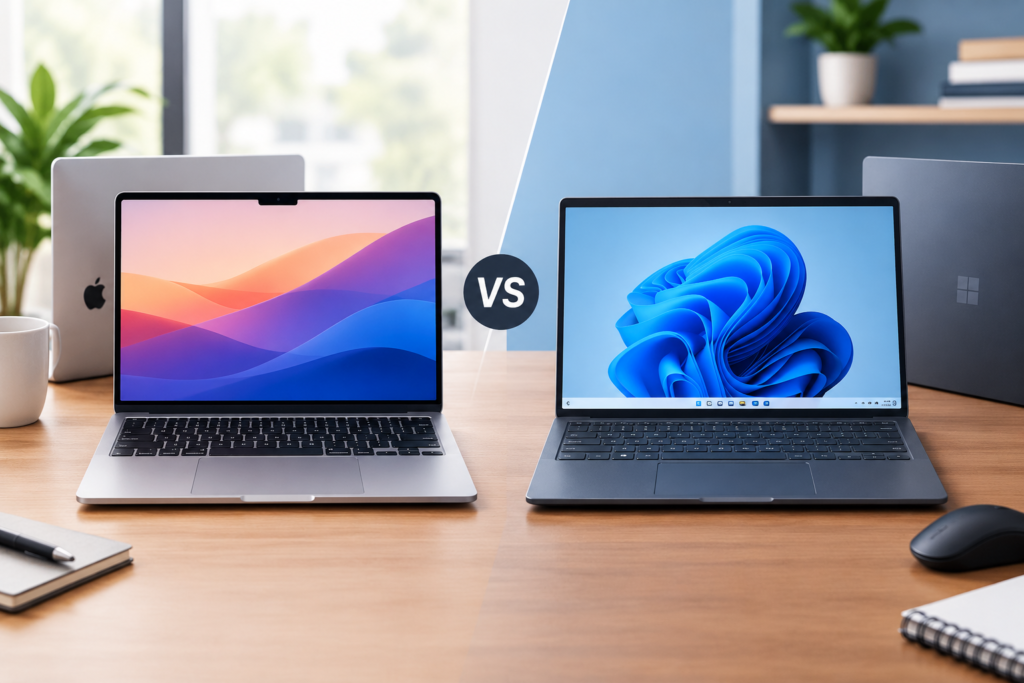
Choosing the right laptop for work has become increasingly important as professionals rely on technology for communication, productivity, creativity, and collaboration. Whether you work from home, manage a business, attend online meetings, study, or travel frequently, your laptop can significantly influence your daily efficiency. Two popular choices in the premium laptop market are the Apple MacBook Air and Windows ultrabooks.
Both options offer lightweight designs, powerful processors, long battery life, and features designed for modern professionals. However, they differ in operating systems, software compatibility, hardware options, pricing, and integration with other devices.
The MacBook Air is known for its streamlined design, efficient Apple silicon processors, quiet operation, and integration with the Apple ecosystem. Windows ultrabooks, meanwhile, provide a broader range of configurations, compatibility with different business applications, and flexibility across manufacturers such as Dell, HP, Lenovo, ASUS, and Microsoft.
But which one is better for work?
The answer depends on your profession, budget, preferred software, and working style. This article compares the MacBook Air and Windows ultrabooks across essential factors to help you make an informed decision.
1. Design and Portability
Portability is an important consideration for professionals who commute, travel for business, or frequently move between workplaces.
The MacBook Air features a slim aluminum body, a minimalist appearance, and a lightweight construction. Its compact design makes it convenient to carry in a backpack or laptop bag. The aluminum chassis also gives it a premium feel, while its simple design suits professional environments.
Windows ultrabooks are available in various designs. Manufacturers offer aluminum, magnesium alloy, and other lightweight constructions. Some models feature traditional clamshell designs, while others include touchscreen displays or convertible hinges that allow the laptop to function like a tablet.
The weight and dimensions depend on the specific model. Many premium Windows ultrabooks compete closely with the MacBook Air in portability.
For professionals who prioritize simplicity and consistent build quality, the MacBook Air is an appealing option. Windows ultrabooks are better for people who want more choices in appearance, screen size, convertible functionality, and physical design.
Winner: Both are excellent. The MacBook Air offers a consistent premium design, while Windows ultrabooks provide greater variety.
2. Performance for Everyday Work
Performance determines how efficiently a laptop handles daily tasks, including document editing, spreadsheets, web browsing, video conferencing, and multitasking.
The MacBook Air uses Apple’s silicon processors, designed to balance computing performance and power efficiency. Depending on the generation and configuration, a MacBook Air can handle demanding productivity applications, large documents, photo editing, and numerous browser tabs without difficulty.
Its unified memory architecture allows the processor and graphics hardware to access shared memory efficiently. This design can benefit applications optimized for Apple silicon.
Windows ultrabooks use processors from manufacturers such as Intel, AMD, and Qualcomm. Performance varies according to the processor generation, cooling design, memory configuration, and software requirements.
Premium Windows models can deliver excellent performance for office applications, programming, business analytics, and creative work. Some configurations also include dedicated graphics hardware, although integrated graphics are common in thin-and-light models.
For typical office work, both platforms provide more than enough performance when configured appropriately. Differences become more noticeable when running specialized software, managing demanding workloads, or working with applications optimized for a particular processor architecture.
Winner: Neither platform wins universally. The MacBook Air offers efficient performance, while Windows ultrabooks provide a wider selection of processors and configurations.
3. Battery Life and Charging
Battery life matters to professionals who work outside traditional office environments. A laptop that lasts throughout a workday reduces dependence on power outlets and makes travel easier.
The MacBook Air is widely recognized for its power-efficient design. Apple silicon processors help reduce energy consumption during everyday tasks, allowing compatible MacBook Air models to deliver extended battery life.
Actual endurance depends on the model, display brightness, workload, wireless connectivity, and applications being used. Video calls, demanding software, and high screen brightness can reduce battery life.
Windows ultrabooks also offer strong battery performance, particularly models designed around efficient processors and modern power-management features. However, battery endurance varies significantly across manufacturers and configurations.
Two laptops with similar specifications can deliver different results because of differences in battery capacity, display technology, firmware, and processor efficiency.
Charging speed and charging convenience should also be considered. Both platforms include models that support USB-C charging, although supported charging standards and power requirements vary.
For frequent travelers, checking independent battery tests for the exact models is more useful than relying exclusively on advertised figures.
Winner: The MacBook Air is a strong choice for consistent battery efficiency, but selected Windows ultrabooks can compete closely.
4. Operating System and User Experience
One of the biggest differences between these laptops is their operating system.
The MacBook Air runs macOS, Apple’s desktop operating system. It offers a consistent interface, integrated system applications, and close coordination between hardware and software. Users familiar with iPhones or other Apple products may find the environment especially convenient.
macOS supports productivity tools, creative applications, development environments, and popular business software. Its interface emphasizes simplicity, while features such as Spotlight search, virtual desktops, and trackpad gestures support everyday workflows.
Windows ultrabooks run Microsoft Windows, which remains widely used across offices, educational institutions, and businesses. Windows supports an extensive range of applications, peripherals, management tools, and enterprise systems.
Its familiar interface makes it convenient for organizations that rely on Microsoft software and established Windows-based workflows. Features such as window snapping, virtual desktops, and broad hardware compatibility support multitasking.
Neither operating system is inherently better for everyone. macOS may appeal to users who prefer Apple’s integrated environment, while Windows is often preferable for professionals who need broad compatibility with workplace systems.
Winner: Windows for flexibility and workplace compatibility; macOS for users who value a streamlined, integrated experience.
5. Software Compatibility for Professional Work
Software compatibility can determine whether a laptop is suitable for a particular job.
Both macOS and Windows support popular productivity applications, including Microsoft 365, Google Workspace, Zoom, Slack, and many project-management platforms. These applications allow professionals to write documents, manage spreadsheets, communicate with colleagues, and coordinate projects.
However, specialized applications can create important differences.
Some industries depend on Windows-only accounting systems, enterprise applications, engineering programs, or legacy business software. Certain professional tools also provide more extensive functionality on Windows than on macOS.
Creative professionals often find excellent software support on both platforms. Applications for photography, video editing, graphic design, and audio production are available for macOS and Windows, although individual features and hardware requirements vary.
Developers should evaluate their preferred programming tools, container environments, testing requirements, and deployment targets. Both systems support popular development environments, but particular workflows may favor one platform.
Windows also offers compatibility with a broad range of older desktop applications. However, compatibility should be verified rather than assumed, especially when using Windows on ARM-based devices.
Before purchasing, identify the applications required for your job and confirm that they work properly on your preferred operating system.
Winner: Windows for many specialized and legacy business applications; both platforms perform well for mainstream productivity and creative work.
6. Display Quality and Visual Comfort
A good display improves productivity by making documents easier to read, spreadsheets clearer, and presentations more attractive.
The MacBook Air offers a high-resolution display with sharp text, strong color reproduction, and a wide viewing experience. Its screen is well suited to writing, browsing, presentations, and photo editing.
Windows ultrabooks offer a wider variety of display technologies and configurations. Depending on the model, buyers can choose IPS, OLED, or other display options, along with different resolutions, refresh rates, brightness levels, and aspect ratios.
Some premium Windows laptops provide OLED displays with deep blacks and high contrast, making them attractive for multimedia and visual content creation. Other models prioritize battery efficiency or affordability.
Touchscreen support is another important difference. Most MacBook Air models do not offer touchscreen functionality, whereas many Windows ultrabooks include touchscreens or convertible designs.
For office productivity, consider more than resolution alone. Screen brightness, glare, text clarity, color accuracy, and comfortable scaling can affect the working experience.
Winner: Both perform well. Windows offers more display choices, while the MacBook Air provides a consistent, high-quality viewing experience.
7. Keyboard, Trackpad, and Typing Comfort
Professionals who spend hours writing emails, preparing reports, coding, or managing documents need a comfortable keyboard and reliable pointing device.
The MacBook Air offers a well-integrated keyboard and a large trackpad with accurate gesture recognition. Its trackpad is particularly useful for navigating documents, switching applications, and controlling the desktop without a separate mouse.
Windows ultrabooks vary more widely in keyboard quality. Premium business-oriented models often provide comfortable key travel, useful layouts, and dedicated function keys. Some include pointing sticks, additional shortcut keys, or specialized productivity controls.
Trackpad quality also differs by manufacturer. Many modern Windows laptops have excellent touchpads, but the experience can vary between entry-level and premium devices.
Keyboard layout deserves attention before buying. Some models include compact arrow keys, unusual function-row arrangements, or limited space around the keyboard. These differences can influence typing comfort.
Whenever possible, test the keyboard and trackpad before making a purchase.
Winner: The MacBook Air offers a consistently polished trackpad experience, while Windows ultrabooks provide several excellent keyboard options.
8. Multitasking and Productivity Features
Modern professionals often work with several applications simultaneously. They may keep spreadsheets open alongside email, video meetings, project dashboards, and research documents.
Both platforms support multitasking effectively.
macOS provides virtual desktops, window management tools, keyboard shortcuts, and features for organizing multiple applications. Users can also connect compatible external displays, depending on the specific MacBook Air generation and configuration.
Windows offers familiar window snapping, virtual desktops, multiple-monitor support, and flexible application arrangement. These capabilities can be especially useful for professionals who regularly compare documents or manage several dashboards.
Windows laptops also offer different hardware configurations for people who need additional memory, larger screens, or specific connectivity options.
The best multitasking experience depends on the laptop’s memory capacity, processor, screen size, and display support, not simply its operating system.
For professionals who frequently work with large spreadsheets, complex datasets, or numerous applications, selecting sufficient memory is particularly important.
Winner: Windows offers considerable flexibility for arranging windows and selecting hardware, while macOS provides a smooth and integrated productivity environment.
9. Connectivity and External Devices
Professional work often requires connecting external monitors, projectors, storage devices, headphones, cameras, and other peripherals.
The MacBook Air offers USB-C connectivity through its supported ports, along with wireless connectivity and other features that vary by generation. However, users who need several traditional ports may require a compatible hub or docking station.
Windows ultrabooks offer different port combinations depending on the manufacturer and model. Some provide USB-A, USB-C, HDMI, microSD card readers, and headphone connections. Others prioritize thin designs and rely primarily on USB-C.
For office employees, ports can influence how easily a laptop connects to existing equipment. A built-in HDMI port, for example, may eliminate the need for an adapter when presenting in a meeting room.
External display support varies by laptop generation, processor, and configuration. Check the manufacturer’s specifications if your work requires multiple monitors.
Wireless connectivity, docking support, and compatibility with workplace accessories should also be considered.
Winner: Windows ultrabooks generally provide more variety in built-in connectivity, although individual configurations differ considerably.
10. Security and Privacy
Security is essential for professionals handling business documents, financial records, customer information, and confidential communications.
The MacBook Air benefits from Apple’s integrated hardware and software security features. Depending on the model, these include hardware-backed security capabilities, biometric authentication, encrypted storage, and system protections designed to reduce exposure to threats.
macOS also receives regular security updates, making software maintenance an important part of protecting the device.
Windows ultrabooks support security features such as Windows Hello, device encryption, Secure Boot, and hardware-based security capabilities when supported by the device and operating system edition.
Many business-oriented Windows laptops also offer additional enterprise-management features. These can be valuable for organizations that need centralized device administration, access controls, and compliance policies.
Neither platform eliminates security risks. Phishing, malicious downloads, weak passwords, unpatched software, and unsafe networks can affect users on either system.
Professionals should enable automatic updates, use strong authentication, maintain secure backups, and follow their organization’s security policies.
Winner: Both offer strong security capabilities. The best choice depends on configuration, software maintenance, and organizational requirements.
11. Pricing and Overall Value
Price is a major consideration when purchasing a laptop for work.
The MacBook Air occupies the premium laptop category, although pricing varies by generation, screen size, memory, storage, and market. Buyers should compare the complete configuration rather than focusing only on the starting price.
Windows ultrabooks cover a broader price range. Budget-conscious professionals can find capable models, while premium options compete directly with Apple’s offerings.
However, the cheapest laptop is not always the most economical over time. Battery replacement, repairs, accessories, software requirements, and expected service life can affect the total cost of ownership.
Memory and storage upgrades deserve particular attention. Some thin laptops have components that cannot be upgraded after purchase, making it important to choose a suitable configuration initially.
Business buyers should also consider warranty coverage, repair availability, and support arrangements.
A MacBook Air may offer excellent value for users who benefit from its battery efficiency and ecosystem. A Windows ultrabook may deliver better value when it includes the exact hardware, ports, or business software compatibility required.
Winner: Windows ultrabooks offer more price choices, while the MacBook Air can provide strong long-term value for suitable users.
12. Which Laptop Is Better for Different Professions?
The right choice becomes clearer when you consider your actual work.
Office Professionals: Both options work well for email, documents, spreadsheets, presentations, and online meetings. Windows may be preferable in organizations built around Windows-specific business applications.
Content Writers and Bloggers: The MacBook Air is excellent for writing, research, editing, and multitasking. Windows ultrabooks are equally capable and may offer more affordable configurations.
Graphic Designers: Both platforms support professional design applications. Compare software compatibility, display quality, memory, and graphics requirements before choosing.
Video Editors: The MacBook Air can handle many editing workflows, particularly when applications are optimized for Apple silicon. Windows laptops with suitable processors, memory, and dedicated graphics may be better for certain demanding projects.
Programmers: Both platforms support popular development tools. macOS can be attractive for Unix-based workflows and Apple-platform development, while Windows is useful for Windows-specific applications and enterprise environments.
Business Owners: The best choice depends on accounting systems, business applications, device management, and collaboration requirements. Windows often offers broader hardware selection, while MacBook Air models suit businesses that prefer Apple’s ecosystem.
Frequent Travelers: The MacBook Air is a strong option because of its lightweight construction and power efficiency. Selected Windows ultrabooks provide comparable portability and battery life.
13. MacBook Air vs Windows Ultrabook: Quick Comparison
| Feature | MacBook Air | Windows Ultrabook |
|---|---|---|
| Operating system | macOS | Windows |
| Design | Premium, minimalist | Wide variety of designs |
| Performance | Efficient Apple silicon | Intel, AMD, and Qualcomm options |
| Battery life | Generally excellent | Varies by model |
| Software compatibility | Strong mainstream support | Broad business compatibility |
| Display options | Consistent high-quality display | IPS, OLED, touchscreen, and more |
| Keyboard and trackpad | Consistent trackpad experience | Varies by manufacturer |
| Connectivity | Primarily USB-C on many models | Wider selection across models |
| Security | Integrated hardware and software protections | Extensive security and enterprise tools |
| Pricing | Premium segment | Budget to premium |
| Best for | Apple ecosystem and mobile productivity | Flexibility and diverse business requirements |
14. What Should You Check Before Buying?
Before choosing either laptop, evaluate your everyday workflow rather than relying solely on brand reputation.
First, list the software you need for work. Confirm compatibility with the operating system and processor architecture.
Second, choose sufficient memory and storage. If you regularly work with large files, demanding applications, or many browser tabs, avoid configurations that may become restrictive.
Third, consider your working environment. Frequent travelers may prioritize battery life and weight, while office-based professionals may benefit more from external display support and connectivity.
Fourth, compare warranty terms and repair options in your location. Reliable support can be especially important when a laptop is essential for earning an income.
Finally, compare the complete purchase cost, including adapters, docking stations, external storage, and required software.
A carefully selected laptop can improve productivity for years, making these checks worthwhile before committing to a purchase.
Frequently Asked Questions
1. Is the MacBook Air better than a Windows ultrabook for office work?
Both are excellent for office work. The better choice depends on software compatibility, workplace requirements, battery needs, and personal preferences.
2. Which laptop has better battery life?
The MacBook Air generally offers excellent battery efficiency, but some Windows ultrabooks provide comparable endurance depending on hardware and usage.
3. Is a MacBook Air suitable for business professionals?
Yes. It supports common productivity tools, video conferencing, document creation, and many professional applications.
4. Are Windows ultrabooks cheaper than MacBook Air models?
Windows ultrabooks cover more price categories, giving buyers greater flexibility to find a laptop within their budget.
5. Which laptop is better for programming?
Both support programming. The choice depends on development tools, target platforms, processor compatibility, and deployment requirements.
6. Can I use Microsoft Office on a MacBook Air?
Yes. Microsoft 365 applications are available for macOS, although certain advanced features may differ from their Windows counterparts.
7. Are Windows ultrabooks good for traveling?
Yes. Many models are lightweight and offer strong battery life, making them suitable for commuting and business travel.
8. Which laptop is better for video editing?
Both can handle video editing. The best option depends on project complexity, software optimization, memory, and graphics requirements.
9. Does the MacBook Air have a touchscreen?
MacBook Air models traditionally use non-touch displays. Many Windows ultrabooks offer touchscreen functionality, depending on the model.
10. Which laptop should I buy for long-term work?
Choose the laptop that meets your software requirements, provides adequate memory and storage, offers dependable support, and fits your budget.
Conclusion
The MacBook Air and Windows ultrabooks are both excellent choices for modern professional work, but they serve different priorities.
The MacBook Air stands out for its efficient Apple silicon processors, quiet operation, premium construction, and integration with Apple’s ecosystem. It is particularly attractive to writers, consultants, business owners, and professionals who value portability and dependable everyday performance.
Windows ultrabooks offer greater variety in hardware, connectivity, pricing, and specialized software compatibility. They are particularly useful for organizations that depend on Windows applications or professionals who need specific configurations for their work.
Ultimately, the MacBook Air is an excellent choice for streamlined productivity, while a Windows ultrabook is often better for flexibility and specialized business requirements.
Before making your decision, identify your essential applications, compare current models, and evaluate battery performance, memory, connectivity, and total cost. The best laptop is not necessarily the most expensive or popular one. It is the device that supports your daily work efficiently, comfortably, and reliably.
